Preporation
In preporation for following the steps in this guide it is assumed that tailscale is installed on OPNsense using the plugin (setup guide) and that your remote site has a subnet router setup advertising a route to tailscale
Setup
Tailscale
- Navigate to
VPN > Tailscale > Settings - Select
Advanced - Enable
Accept RoutesandDisable SNAT - Select
Apply
Gateways and routes
- Navigate to
System > Gateway > Configuration - Select
+ - Configure the gateway as shown below
![1]()
- Select
Save - Select
Apply - Navigate to
System > Routes > Configuration - Select
+ - Fill in your remote network and select the tailscale gateway
- Select
Save - Select
Apply

Fix Mobile Remote Access
due to disabling Source NAT within Tailscale we need to configure a route so that our LAN hosts know how to reach any remote workstations or phones via Tailscale
- Navigate to
Services > ISC DHCPv4 > LAN - Locate
Additional Optionsand SelectAdvanced - Enter
121under Number - Select
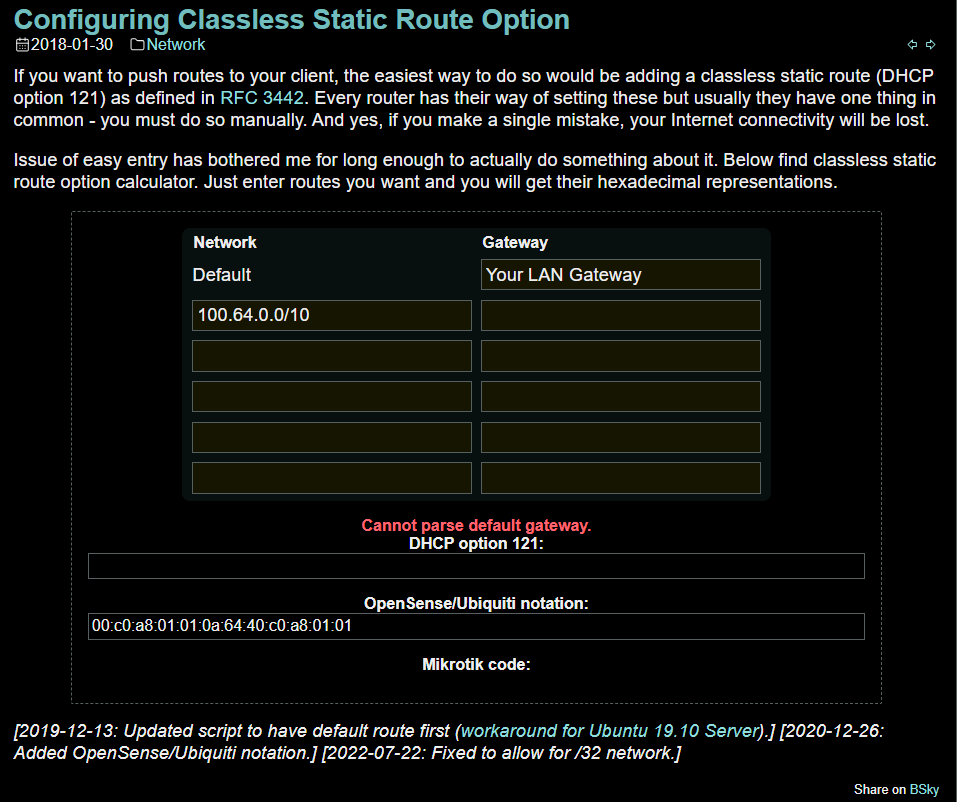
Stringfor Type - Enter the string Generated at Medo64.com for Value
![2]()