
Introduction
Have you ever wanted the connivance of OneDrive but without the need to trust someone else with your Data. NextCloud allows you to do just that and in this article we will be going over how to install and configure it.
Prerequisites
Docker
- Download the Docker install script
1
 curl -fsSL https://get.docker.com -o get-docker.sh
- Run the Docker install script
1
 sh get-docker.sh
- Enable the Docker Service to run at startup
1
 systemctl enable --now docker
- Add your User to the Docker group
1
 usermod -aG docker $USER
- Restart your System
Install
- To Install NextCloud we will first need to get the latest NextCloud Docker image. This can be done by running the bellow command
1
 docker pull nextcloud:latest
- Next we need to create our Docker container with a couple arguments
1
 docker run -d -p 8080:80 --name NextCloud nextcloud:latest
Command Breakdown | Argument | Meaning | |—————— |——————————————————— | | docker run | Creates a container with the specified arguments | | -d | Create the container detached | | -p 8080:80 | Connect Container port 80 to host port 8080 | | –name | Names the Container to more easily manage it later | | nextcloud:latest | Selects the docker image to use to create the container |
-
Navigate to https://localhost:8080 to begin setup
- You should be greeted with a page similar to the one bellow if not refresh the page it may take a couple minutes to load
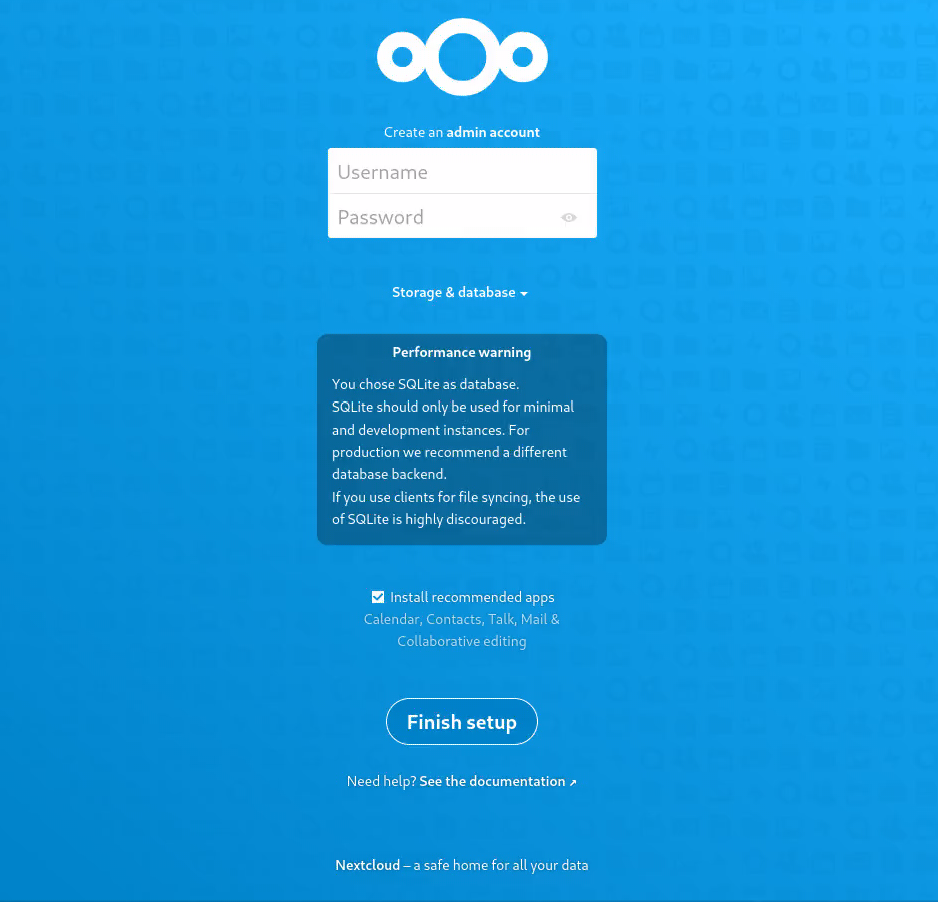
- Enter your desired Username and Password and Select Finish Setup
Configuration
Basic Config
Installing Programs
Programs are installed via Apps.
- You can access apps by selecting the user icon in the top right of the screen

- Select Apps
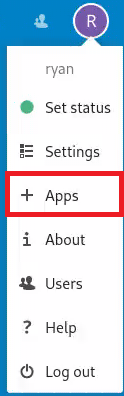
- Locate an App you want to “Install” and select Enable
Uninstalling Programs
Very similar to how we Install Programs you can also Uninstall them
- You can access apps by selecting the user icon in the top right of the screen
- Select Apps
- Locate an App you want to “Uninstall” and select Disable
User Management
Adding Users
- To add a new User select your user icon in the top right of the screen
- Select Users
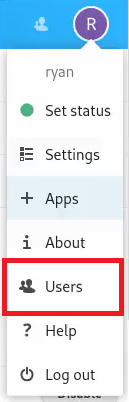
- Select New User
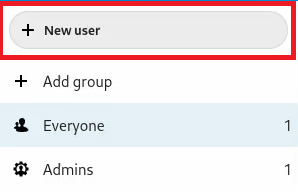
- Fill in the Provided Fields and select the Check Mark

Removing User
- To remove a User select your user icon in the top right of the screen
- Select Users
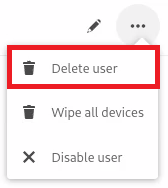
- Select the
...

- Select Delete User
Note: You can also disable a user instead of deleting it from this menu
Trusted Domain Management
To add another trusted domain that you can connect to the Nextcloud site from run the following command
1
    docker exec --user www-data NextCloud php occ config:system:set trusted_domains 1 <IP:Port>
Command Breakdown
| Argument | Meaning |
|———————————————– |———————————————————— |
| docker exec | Tells docker to run the following in a specified container |
| –user www-data | Tells Docker to run the following command as www-data |
| NextCloud | Name of the Docker Container to run the command in |
| php occ | invokes the commandline configuration tool for Nextcloud |
| config:system:set trusted_domains 1 <IP:Port> | Add’s the new trusted domain to the Nextcloud config |
Recommendations
Bellow is a list of apps I recommend to give you full Onedrive like functionality
| App | Reason |
|---|---|
| Accessibility | It allows you to Set a Theme for the site |
| Breeze Dark | A nice Dark Theme |
| Custom Menu | Cleans up the UI by putting all the apps in a drop down menu that can be accessed from the top left of the screen |
| External Storage Support* | Allows you to add External Storage locations that the users can access |
| Password Policy | Prevents users from making very weak passwords |
| Theme | Allows you to set Custom Website name and Themeing (including Logo)1q |
| Collabora Online and Collabora online -built-in CODE Server | Provides a in Browser file Editor |
*I would also recommend installing smbclient if you are installing this (you can install it using docker exec --user root Nextcloud apt install smbclient -y)