
Introduction
So someone you know just installed Ubuntu on your computer to help give it new life for you, and now it is up to you not to break it. This article will go over basic steps on how to insure it remains up to date and how to install new programs.
Updates
The Easiest way for beginers to update both the computer itself and the programs you use is from the Ubuntu Software Center. This can be done by:
Click on Activities (Top Left Corner of the Screen)
Type on your keyboard Ubuntu Software
Select Ubuntu Software from the Options

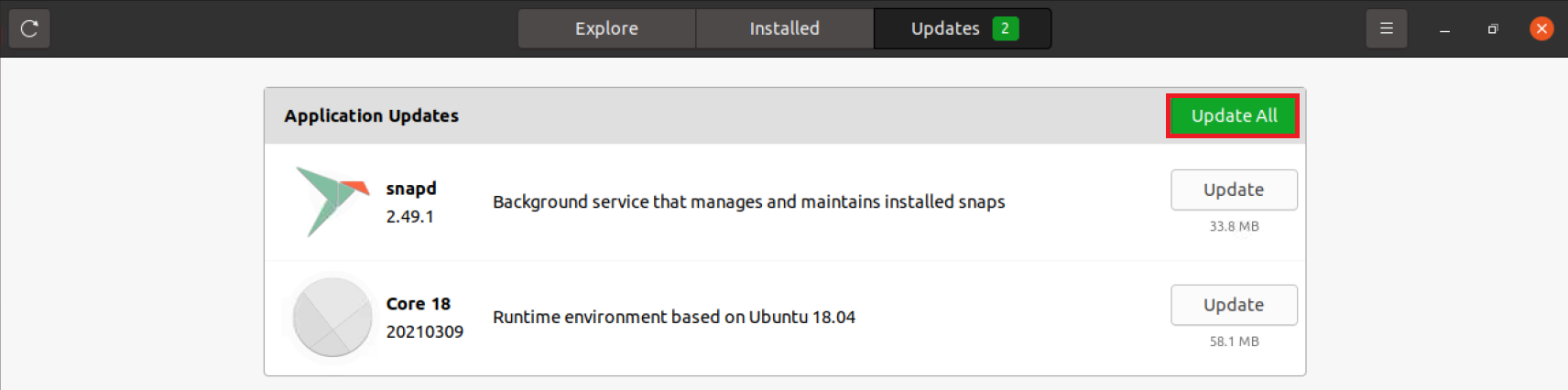
- Select Updates

- Select Update all
Installing Programs
The Easiest Way for beginers to Install Programs is also from the Ubuntu Software Center. This can be done by:
Click on Activites (Top Left Corner of the Screen)
Type on your keyboard Ubuntu Software
Select Ubuntu Software from the Options
- Select Search

- Search for the Program you want to install and select it

- Select Install
