
Introduction
Samba allows you to share files and folders over a network using the smb (Server Message Block) Protocol
Server Installation
Debian based OS: sudo apt-get install samba
Server Configuration
- Open the configuration file
sudo nano /etc/samba/smb.conf - Add the following at the bottom of config file for each share:
Syntax
1
2
3
4
5
[Share Name]
    comment = Description of Share
    path = Path to folder
    read only = make the network share read only
    browseable = make the network share browseable or not
Example
1
2
3
4
5
[Home]
    comment = Home Directory
    path = /home/ryanvanmass
    read only = no
    browseable = yes
- Exit the file saving the changes
- Restart the smbd service
sudo systemctl smbd restart - Add Samba User
sudo smbpasswd -a "User"
Client Configuration
Linux
NOTE: This will depend on what File Manager you are using but bellow is a guideline
- in your File Manager locate and select add entry. It should look something like the bellow image
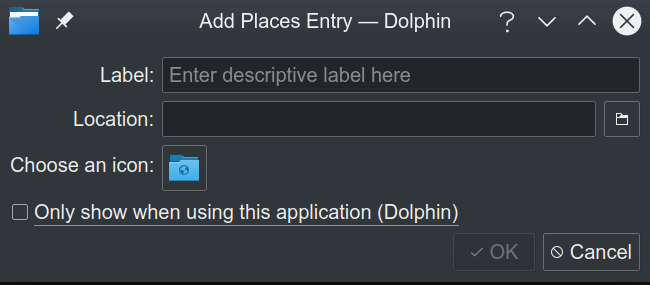
Add something reasonable for the Label (eg the name of the share)
For location enter the following:
smb://ip of server/share name
Windows
Open File Explorer
Navigate to This PC
Right Click and Select Add a network location
Follow onscreen promps untill you reach this screen
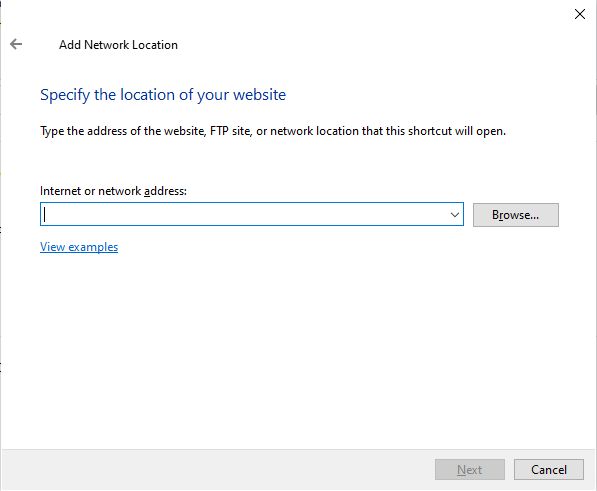
- Enter the following:
\\server ip\share name Enter User credentials created during Samba Configuration
Enter a name for the share
- Select Finished