
Introduction
The File Transfer Protocol (FTP) allows you to transer files from one computer to another over a network
Server Instalation
Debian: sudo apt-get install vsftpd
Arch: sudo pacman -S vsftpd
Fedora: sudo dnf -y install vsftpd
Server Configuration
- Open the configuration file
sudo nano /etc/vsftpd.conf - Enable users to upload to FTP share

- Save and close the configuration file
- Restart the service
sudo systemctl restart vsftpd
Client Configuration
Linux
NOTE: This will depend on what File Manager you are using but bellow is a guideline
- in your File Manager locate and select add entry. It should look something like the bellow image
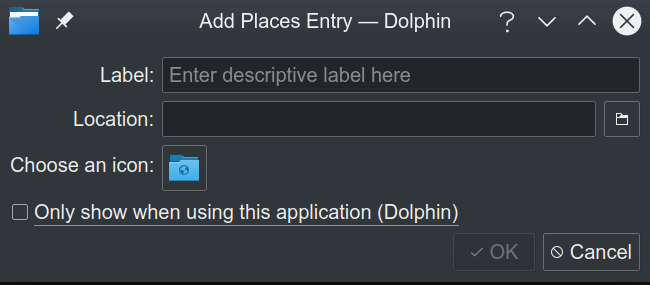
Add something reasonable for the Label (eg the name of the ftp server)
- For Location enter the following:
ftp://ip of username@ip of server - Enter user credentials when prompted
Windows
Open File Explorer
Navigate to This PC
Right Click and Select Add a network location
Follow onscreen promps untill you reach this screen
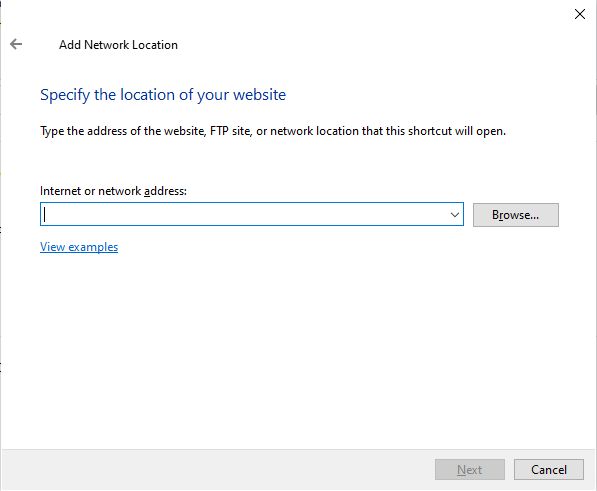
- Enter the following and select next:
ftp://ip of server click login anonymously checkbox and enter username then select next
Enter the FTP server name and select next
- Select Finish