Background
Chromecast & Nest Devices use Multicast Domain Name Services (mDNS) to perform device discovery. Unfortunitly do to the nature of mDNS you cannot simply simply add a Routing rule to allow the traffic across the VLAN it must be relayed via a Repeater in order to traverse VLANs. Luckily many routers have a built in mDNS repeater built in or as a add on, in this article we will be going over how to set this up in PFsense.
Setup
Install Avahi
- Login to PFsense
- Navigate to
System > Package Manager > Available Packages - Search for
Avahiand Select Install
Configuring Avahi
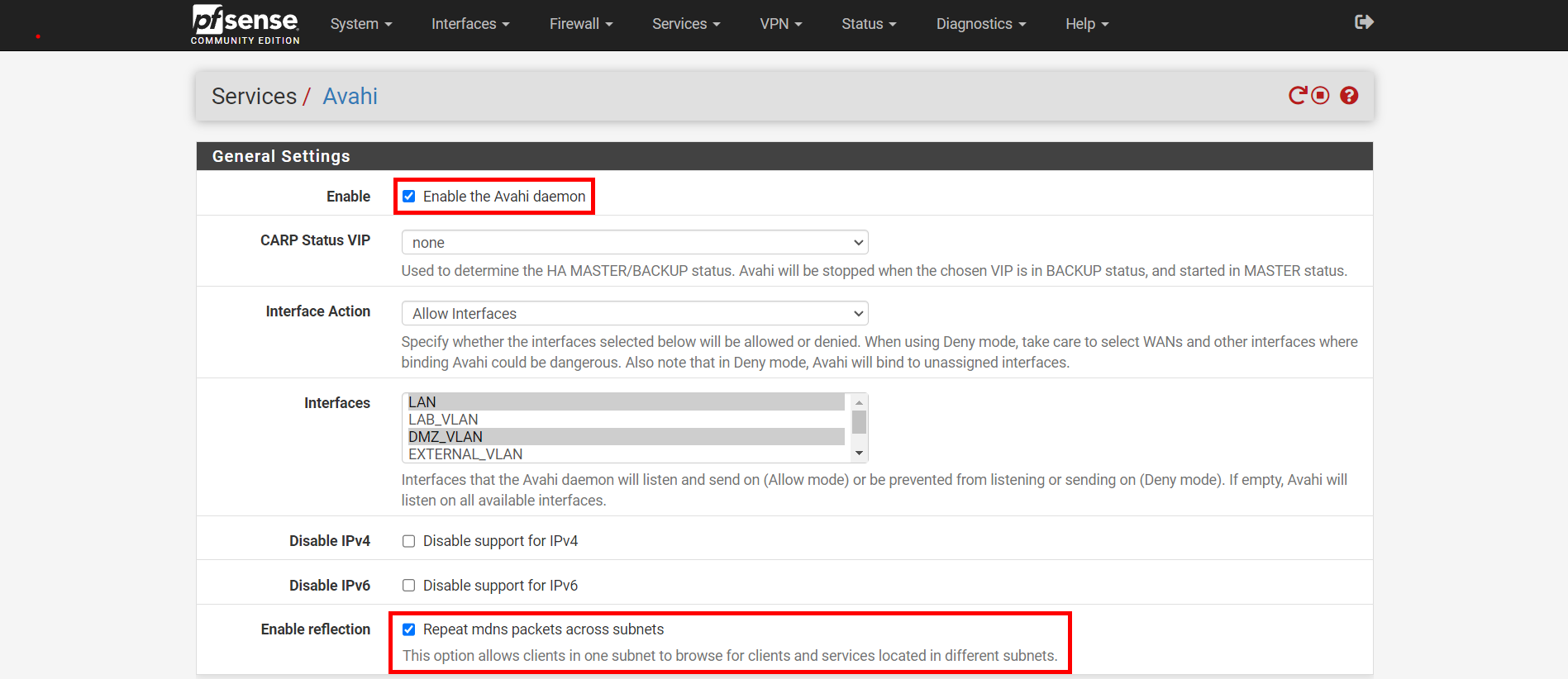
- Navigate to
Services > Avahi - Select
Enable the Avahi Daemon - Select
Repeat mdns Packets across Subnets - Select Save