Enable Context Aware Access
- Navigate to the Context Aware Access Page
- Select
Turn On.
Configure Access Level
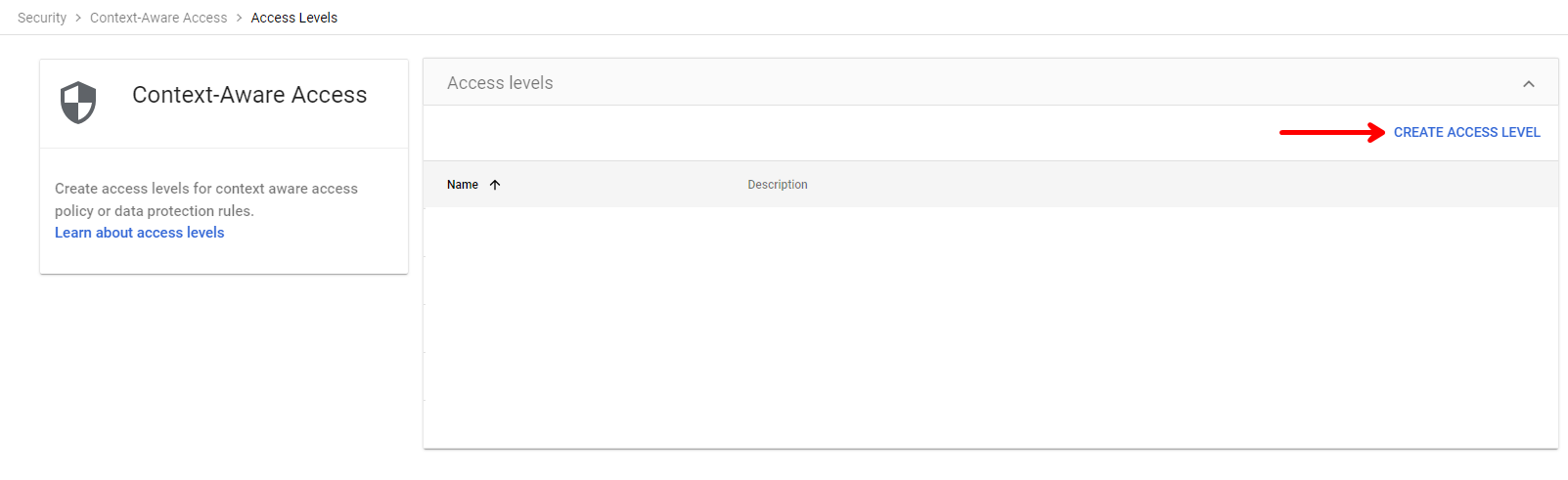
- Select
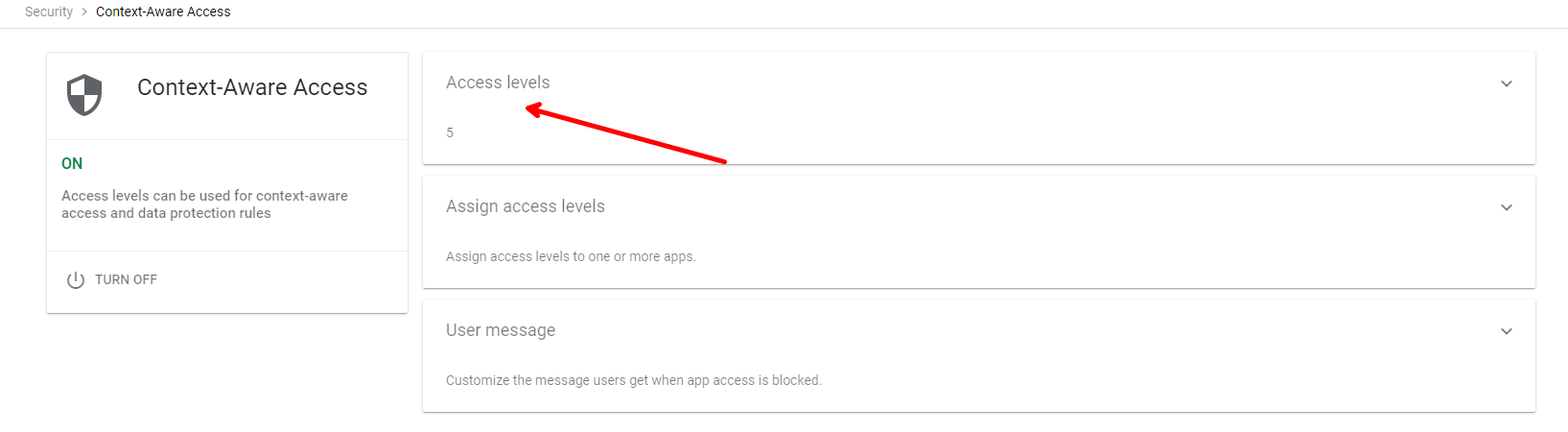
Access Levels![Image1]()
- Select
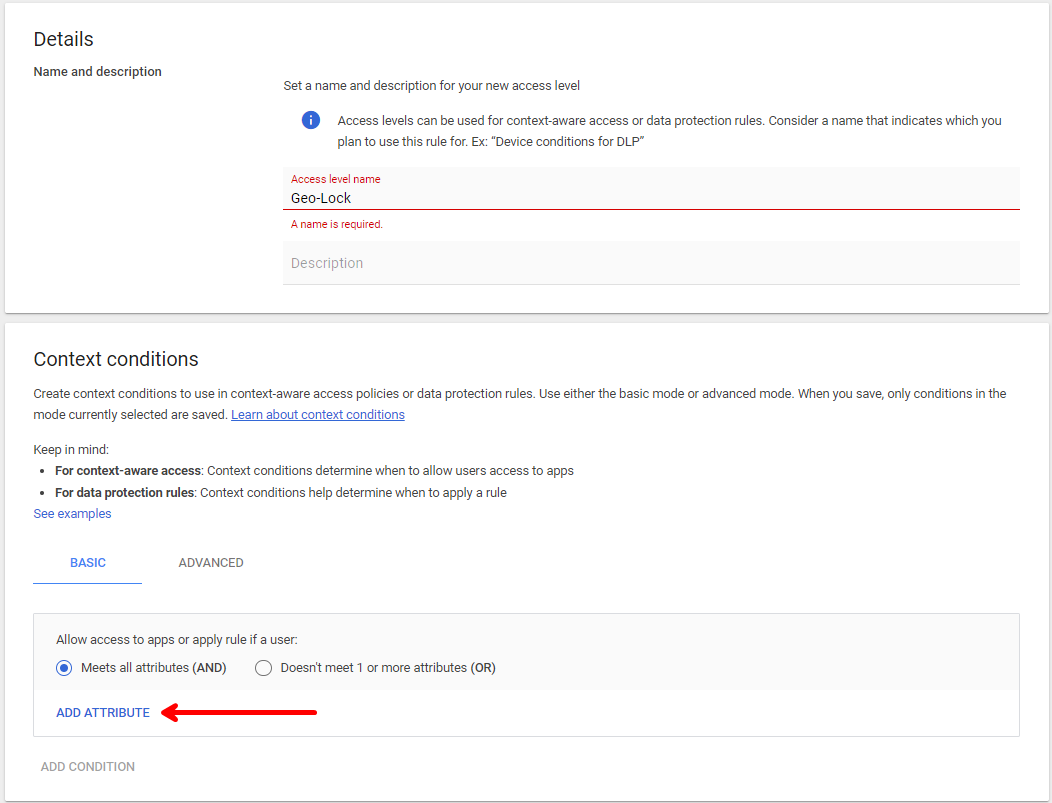
Create Access Level![Image2]()
- Set the Name and select
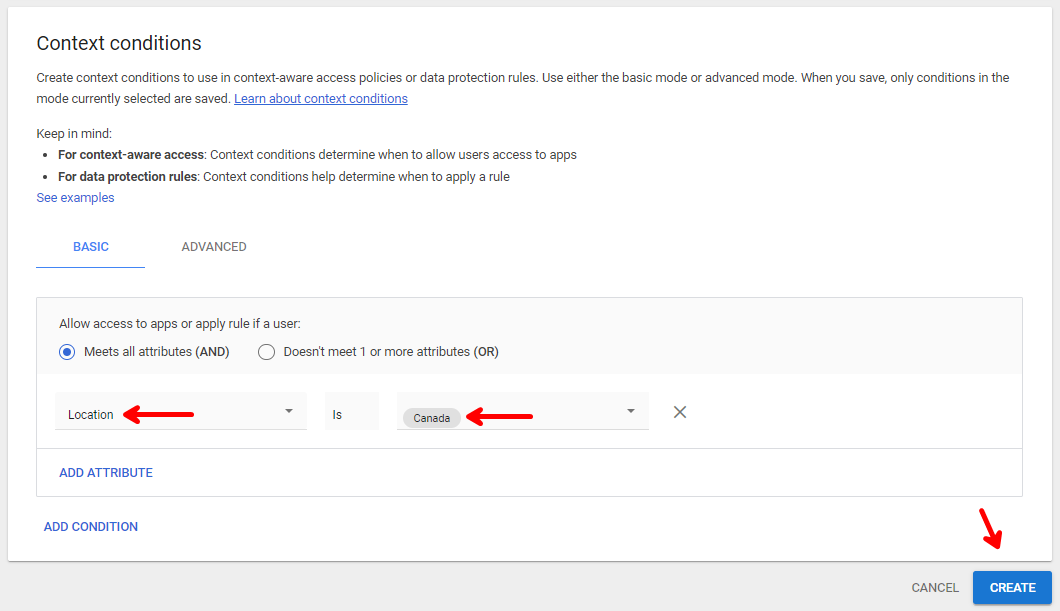
Add Attribute![Image3]()
- Set the below feilds as indicated
![Image4]()
Configure App Policy
- Navigate back to the Context Aware Access Page
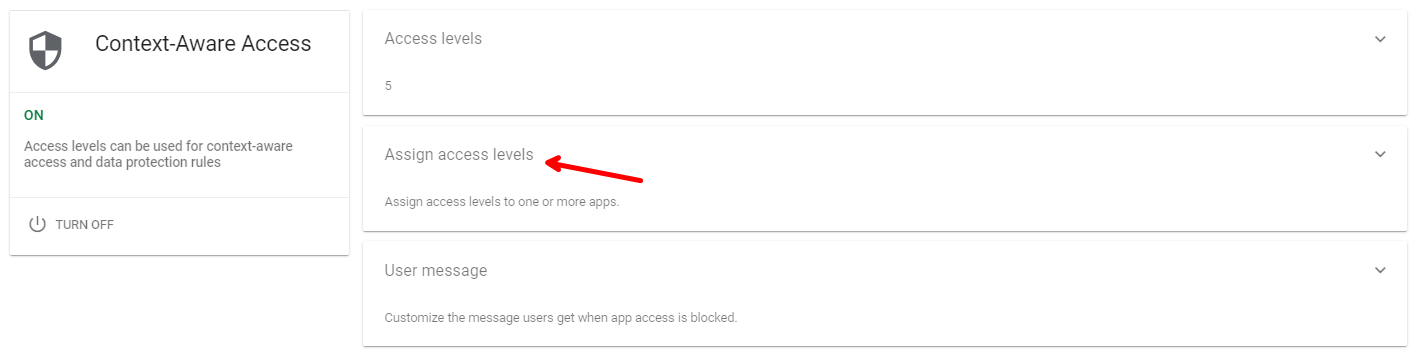
- Select Assign Access Levels
![Image5]()
- Select The checkbox for all apps and assign
![Image6]()
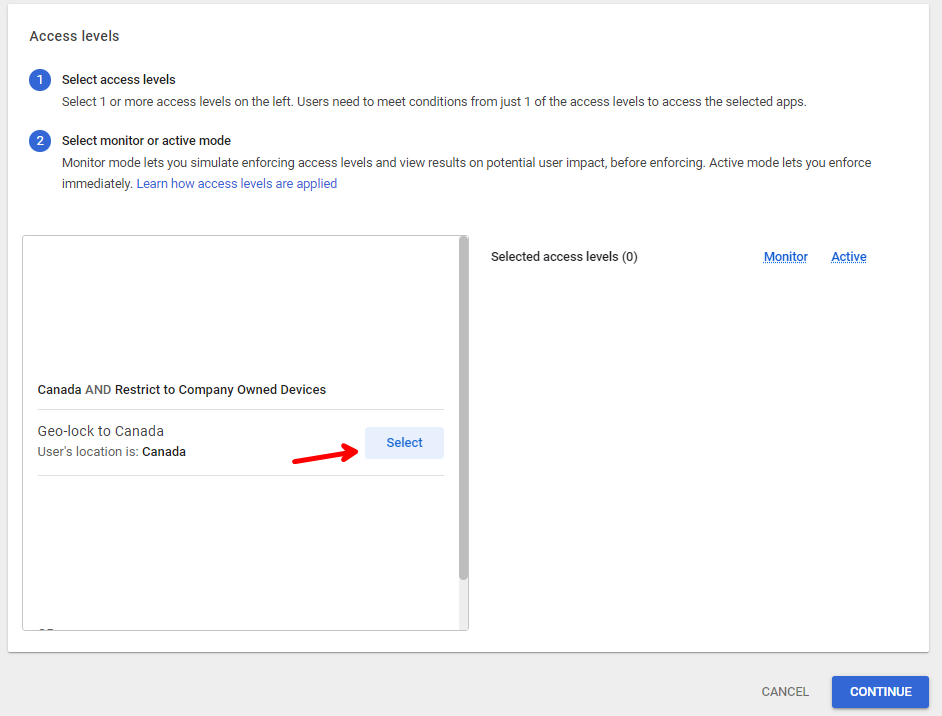
- Select the GeoLock Access Level we created
![Image7]()
- Select Continue
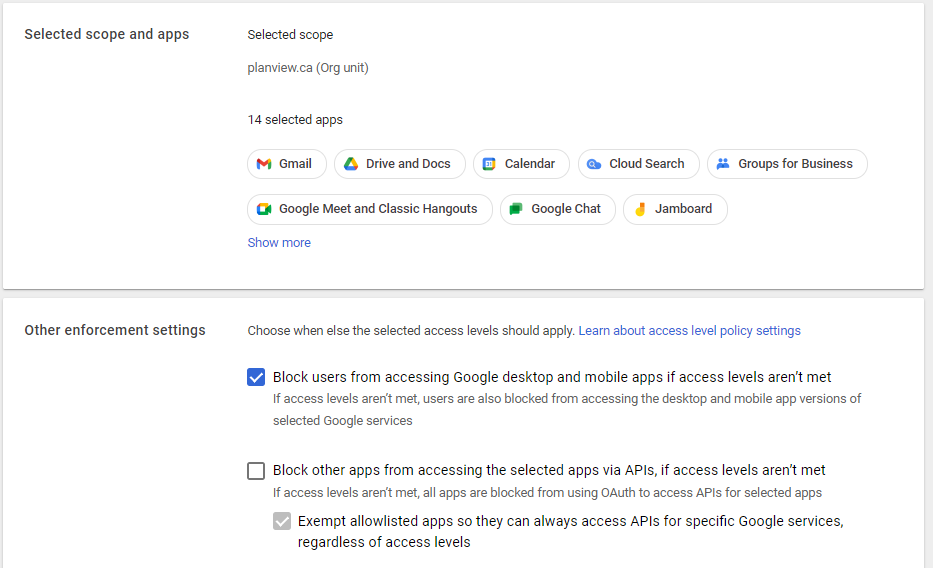
- Select
Block users from accessing Google desktop and mobile apps if access levels aren't met![Image8]()
- Select Continue
- Select Assign