
Introduction
VMWare Workstation is one of the leading Hyper-Visor softwares, which allows you to run Virtual Machines to complete various tasks.
Basic Overview
- Download VMWare Workstation Installer
- Run Insraller
- Launch VMWare Workstation
- Complete Configuration with VMWare Workstation
Downloading VMware Workstation
Run wget https://download3.vmware.com/software/wkst/file/VMware-Workstation-Full-15.5.6-16341506.x86_64.bundle or go to VMware.com and select Download Now under Workstation for Linux

Installing VMware
Run sudo sh ./VMware-Workstation-Full-15.5.6-16341506.x86_64.bundle to run the installer you just downloaded
Launch VMWare Workstation and follow the onscreen prompts to finish the installation proccess
Optimizing VMWare
Run sudo vmware to launch vmware as root so you can make configuratiuon chagnes
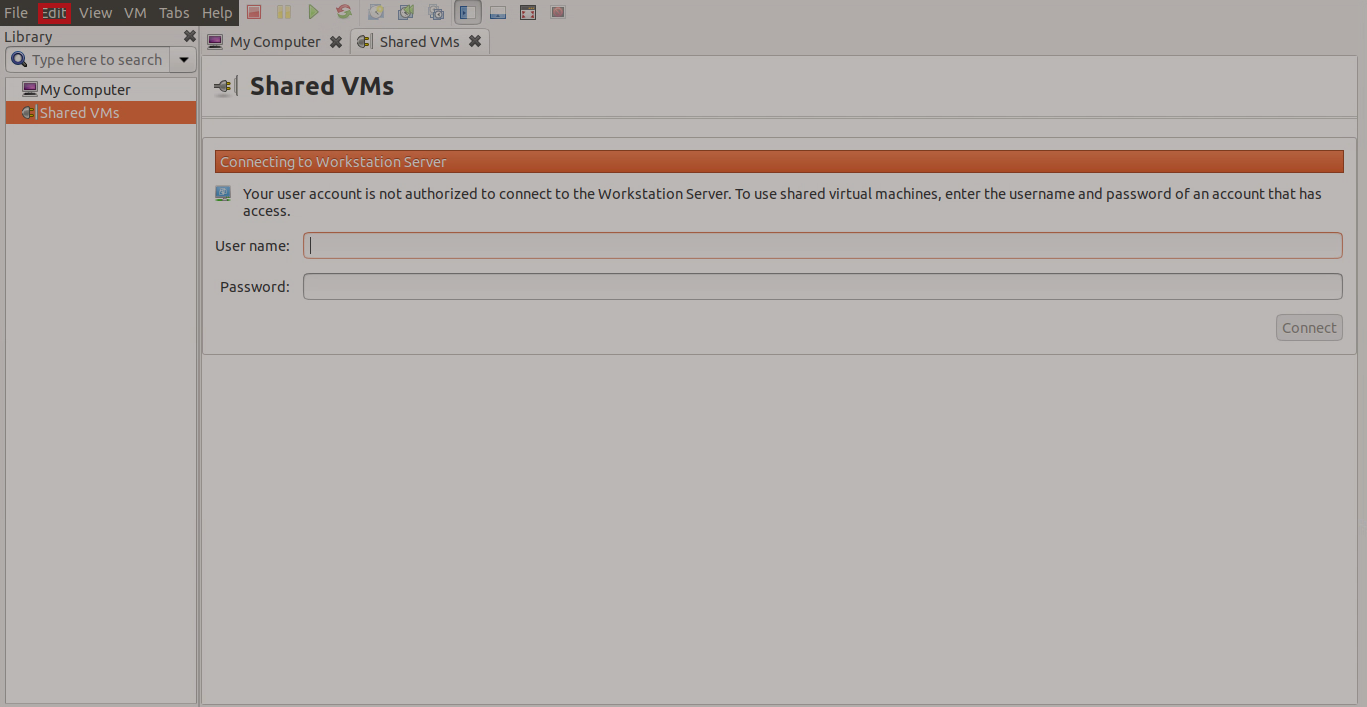
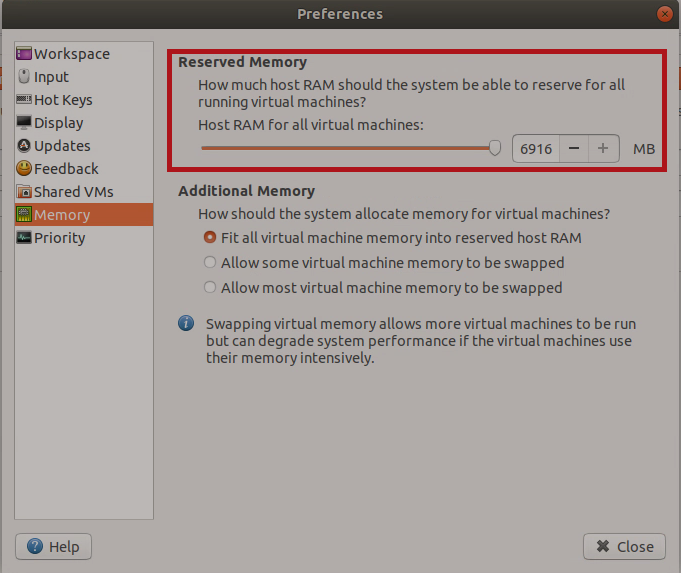
Select Edit
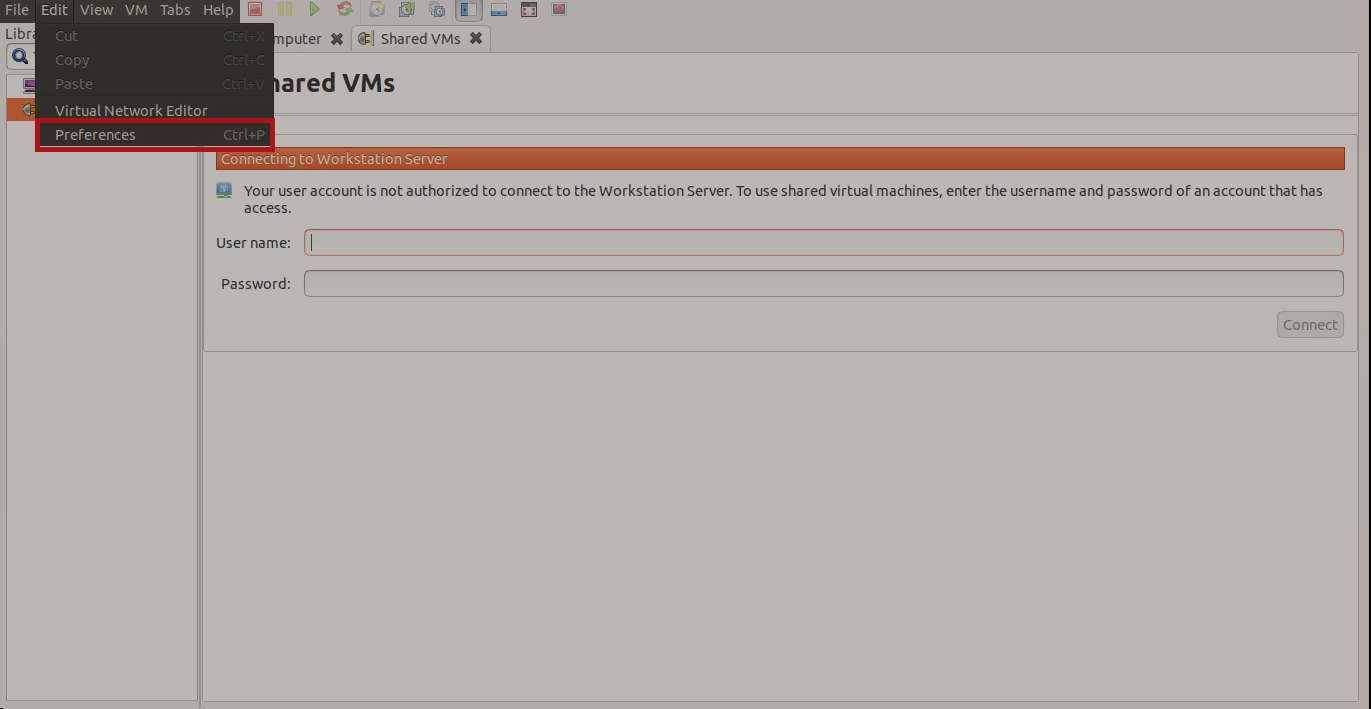
Select Preferences
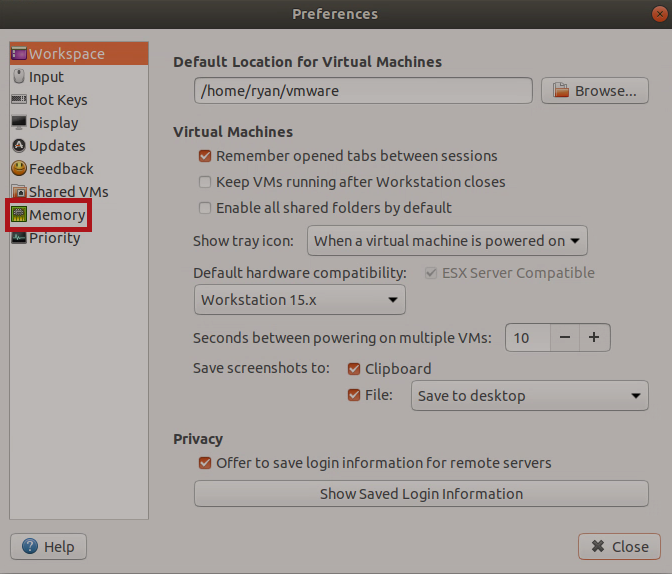
Select Memory
Select Fit all vurtual machine memory into reserved host RAM
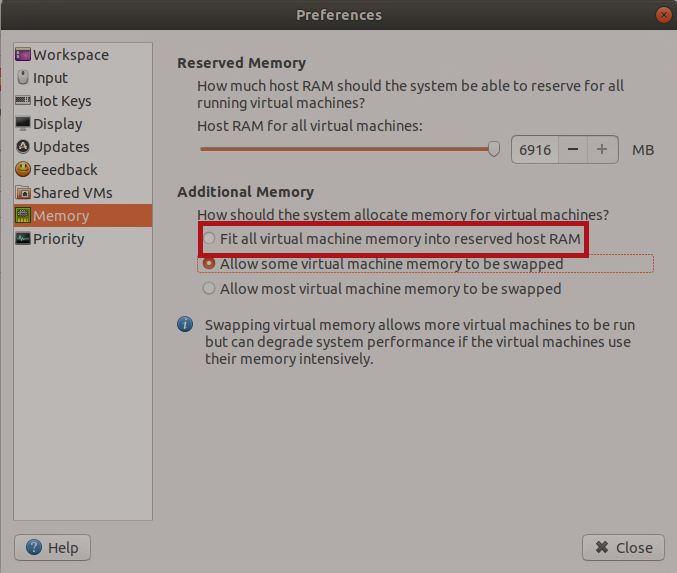
Optional: Reduce reserved Memory
Uninstalling VMWare
Run sudo vmware-installer -u vmware-workstation